Configuration Profiles
To simplify the task of configuring multiple loggers with the same parameters, you can store the settings you would enter during configuration (such as alert limits, logging interval, number of readings etc...) in a , then use the profile to configure loggers as required.
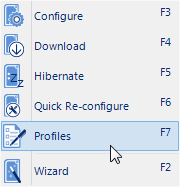
LogTag Profile Menu

Configuring a logger with a pre-defined profile requires only three steps:
-
Select Profiles from the LogTag menu
The window now displayed gives you an overview of the profiles already installed. You can also add new profiles or edit and delete existing ones.
-
Select the profile you wish to use in the Configuration Profiles main window
-
Click on Configure loggers
The next few detail the steps required to add and manage configuration profiles.