How users change their password
The User Server administrator may permit you to change your logon password.To do so click Change Password from the User Server menu. You will need to supply your current logon password, then enter the new password and a confirmation.
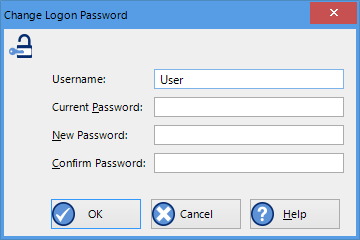
Changing a User Server password
The User Server administrator may enforce certain password rules. For example, they may require a minimum number of characters (digits, letters or symbols) or a minimum number of digits to be included in the password, or both. Please contact your User Server administrator if you have problems with the password change process.
Passwords should be chosen so they are difficult for someone else to guess. Following are a few points to remember when changing a password:
-
Do not use something that is personal to the user. Birth dates, license plate numbers, names of family members, types of vehicles owned, favorite foods and address of residence are all examples of passwords that should NOT be used.
-
Do not write your password down.
-
Change your password on a regular basis.
If users forget their password, the User Server administrator will be able to change it. However, administrators will not be able to see and therefore inform users what their current password is.