Registering a Device
Sign in to your LogTag® Online account and click Devices  in the navigation bar:
Click Register Device to display the Register a new device window:
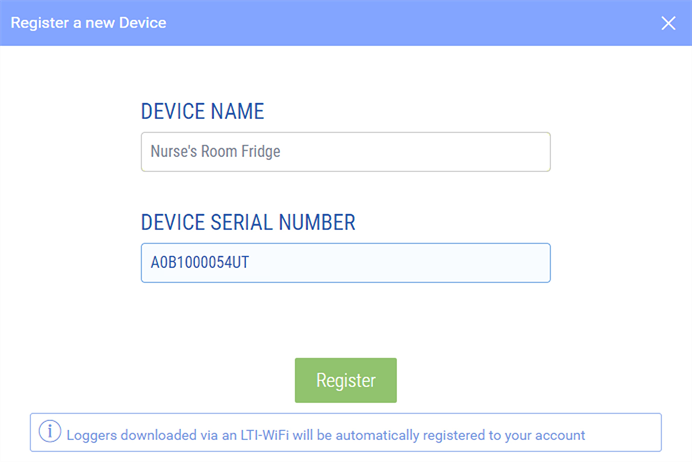
Enter the requested details.
-
DEVICE NAME (optional)
You do not need to type a name for the device, but we recommend you do, as it will make it easier to identify it on-screen.
-
DEVICE SERIAL NUMBER (mandatory)
Type the 10- or 12-digit serial number from the barcode label of the device.
For some loggers this number is printed on the rear product label. For interfaces, the product label is located on the underside.Please ensure you type the number correctly.
Click Register. The logger or interface is now linked with your account.
When registering UTRED30-WIFI and LTI-WM-WIFI products you will receive an error message if the serial number you typed is incorrect. Serial numbers for wireless products typically start with a letter and a number, such as "A0".